
مخرج Linux هو الافتراضي — chmod ثم حوّل
Linux x86-64 وVulkan 1.1. لا تخلط relinker ويندوز مع مكتبات لينكس.
v0.1.2 · relinker-v0.1.2 · prx-linux-v0.1.2.tar.gz
نزّل زوجًا متطابقًا
من v0.1.2 خذ
relinker-v0.1.2وprx-linux-v0.1.2.tar.gz. لا تخلط Windows وLinux، ولا تخلط الوسوم.جهّز المدخل
ELF نظيف بجانب واحد فقط من
sce_module/,sce_modules/أوprx/. تُتخطى ملفات SELF/fSELF.source/ input.elf sce_module/ <bundled ELF modules>حوّل لهذا المضيف
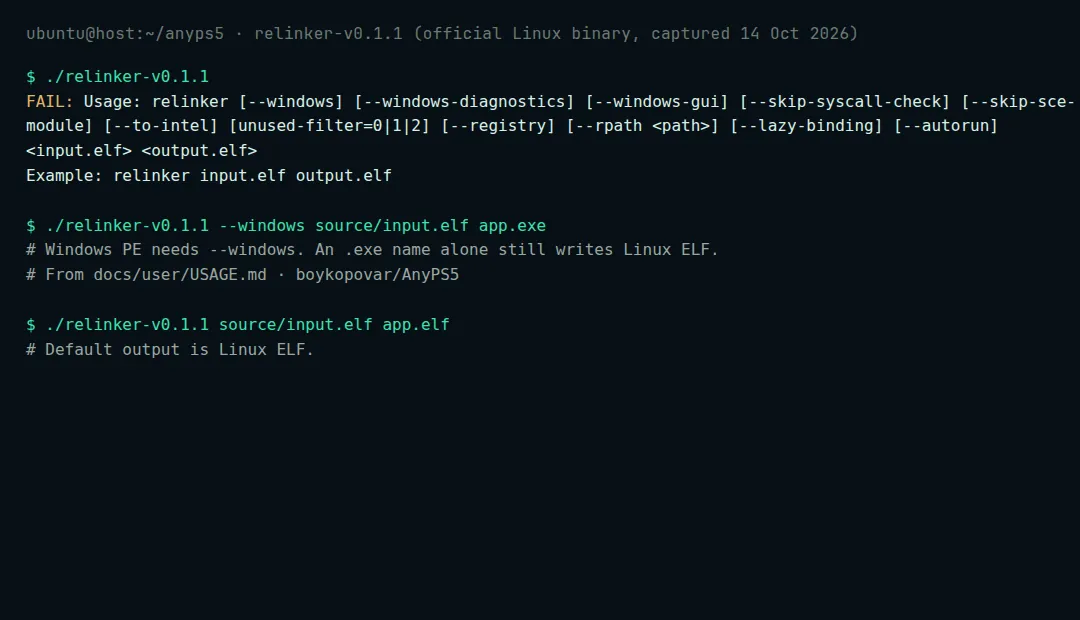
اجعل الملف التنفيذي قابلًا للتشغيل. لا تمرّر --windows.
chmod +x ./relinker-v0.1.2
./relinker-v0.1.2 source/input.elf app.elf
أضف --to-intel على مضيفات Intel للتعليمات المدعومة الخاصة بـ AMD. رمز الخروج 2 يعني فشل التحويل.
ابنِ مجلد التشغيل
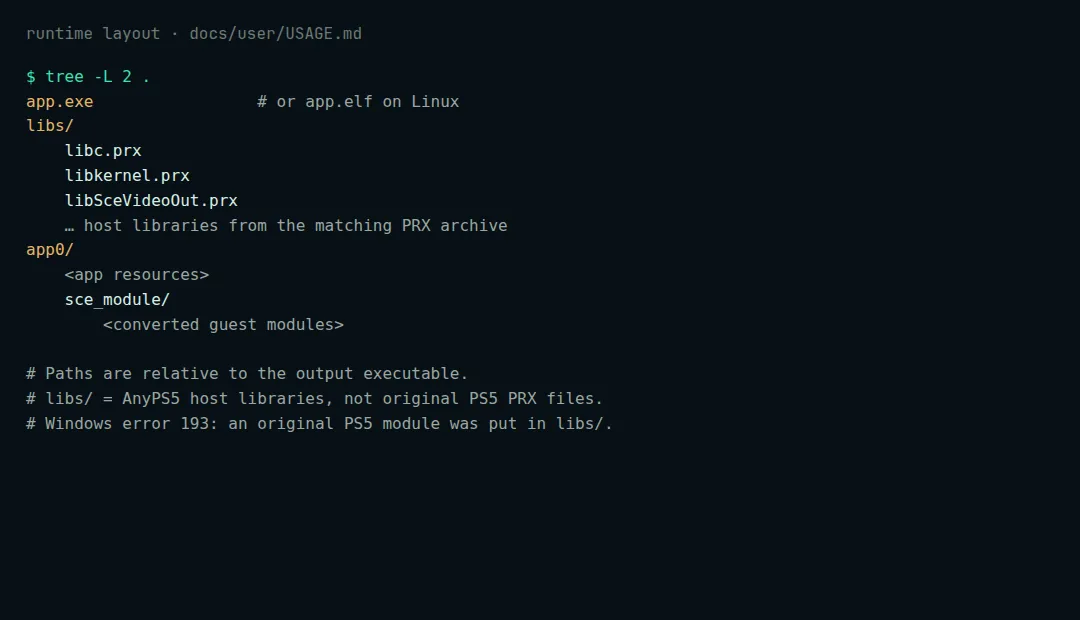
Layout quoted from boykopovar/AnyPS5 docs/user/USAGE.md app.elf libs/ *.prx app0/ <app resources> sce_module/ <converted modules>فك ضغط prx-linux-v0.1.2.tar.gz بحيث يكون libs/ بجوار الملف التنفيذي.
شغّل من الطرفية
chmod +x app.elf
./app.elf
تعيين لوحة المفاتيح: INPUT_MAPPING.md