
أعد ربط ELF نظيفًا، ثم رتّب app وlibs وapp0
الملفات الرسمية تبقى على GitHub Releases. التحويل ليس لعبًا. اختر دليل نظامك للملفين والأوامر الدقيقة.
v0.1.2 · الأوامر من USAGE.md
Windows 10 / 11
--windows يكتب PE.
Linux x86-64
المخرج الافتراضي ELF.
دليل Linux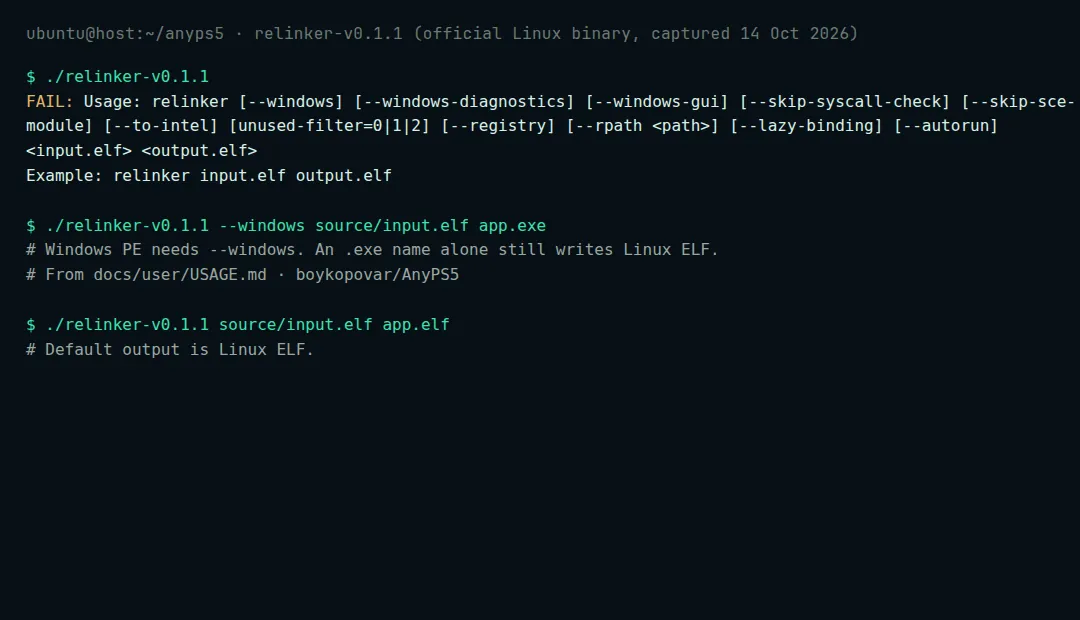
نزّل زوجًا متطابقًا
من v0.1.2 خذ أداة إعادة الربط ومكتبات المضيف لنظام واحد.
جهّز المدخل
ELF نظيف بجانب واحد فقط من
sce_module/,sce_modules/أوprx/. تُتخطى ملفات SELF/fSELF.source/ input.elf sce_module/ <bundled ELF modules>حوّل لمضيفك
المخرج الافتراضي Linux ELF. استخدم --windows لـ PE — اسم ملف .exe لا يكفي.
Windows PowerShell
.\relinker-v0.1.2.exe --windows source\input.elf app.exe
Linux
chmod +x ./relinker-v0.1.2
./relinker-v0.1.2 source/input.elf app.elf
ابنِ مجلد التشغيل
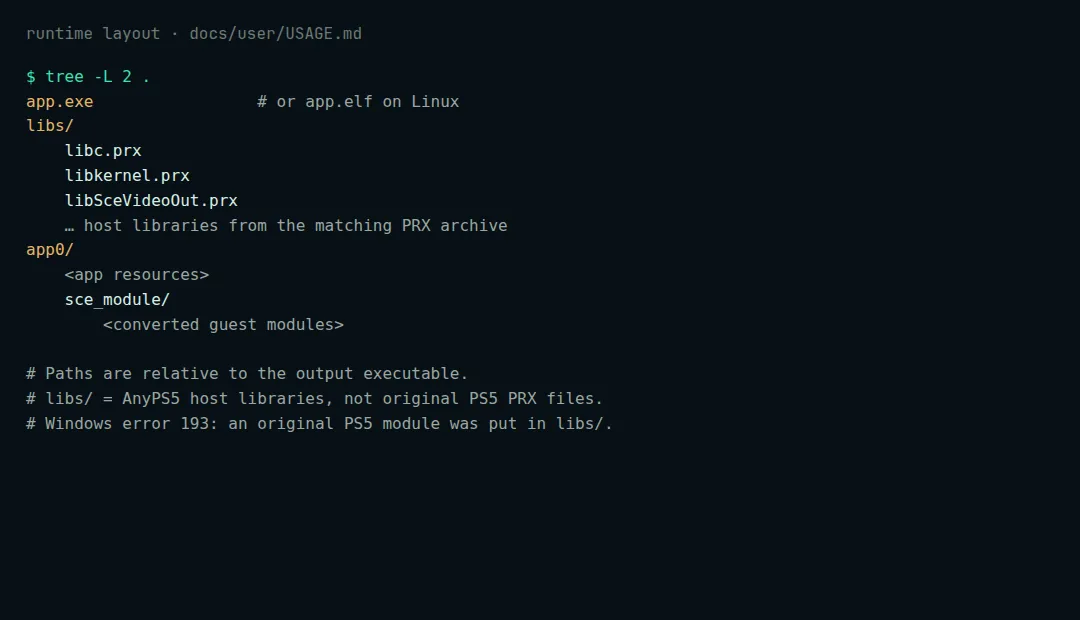
Layout quoted from boykopovar/AnyPS5 docs/user/USAGE.md app.elf or app.exe libs/ *.prx app0/ <app resources> sce_module/ <converted modules>