
Windows يحتاج خيار إعادة ربط PE، وليس مجرد اسم .exe
خذ الملفين من نفس وسم GitHub. هذا ليس مشغّلًا وليست حزمة ألعاب.
v0.1.2 · relinker-v0.1.2.exe · prx-windows-v0.1.2.zip
نزّل زوجًا متطابقًا
من v0.1.2 خذ
relinker-v0.1.2.exeوprx-windows-v0.1.2.zip. لا تخلط Windows وLinux، ولا تخلط الوسوم.جهّز المدخل
ELF نظيف بجانب واحد فقط من
sce_module/,sce_modules/أوprx/. تُتخطى ملفات SELF/fSELF.source/ input.elf sce_module/ <bundled ELF modules>حوّل لهذا المضيف
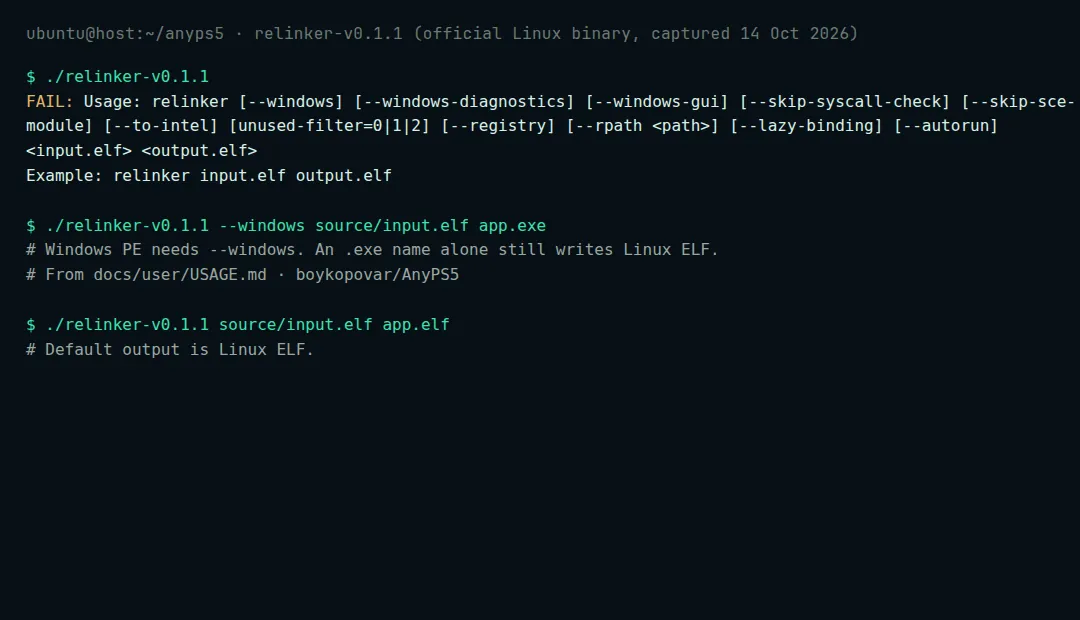
المخرج الافتراضي Linux ELF. استخدم --windows لـ PE — اسم ملف .exe لا يكفي.
PowerShell
.\relinker-v0.1.2.exe --windows source\input.elf app.exe
أضف --to-intel على مضيفات Intel للتعليمات المدعومة الخاصة بـ AMD. رمز الخروج 2 يعني فشل التحويل.
ابنِ مجلد التشغيل
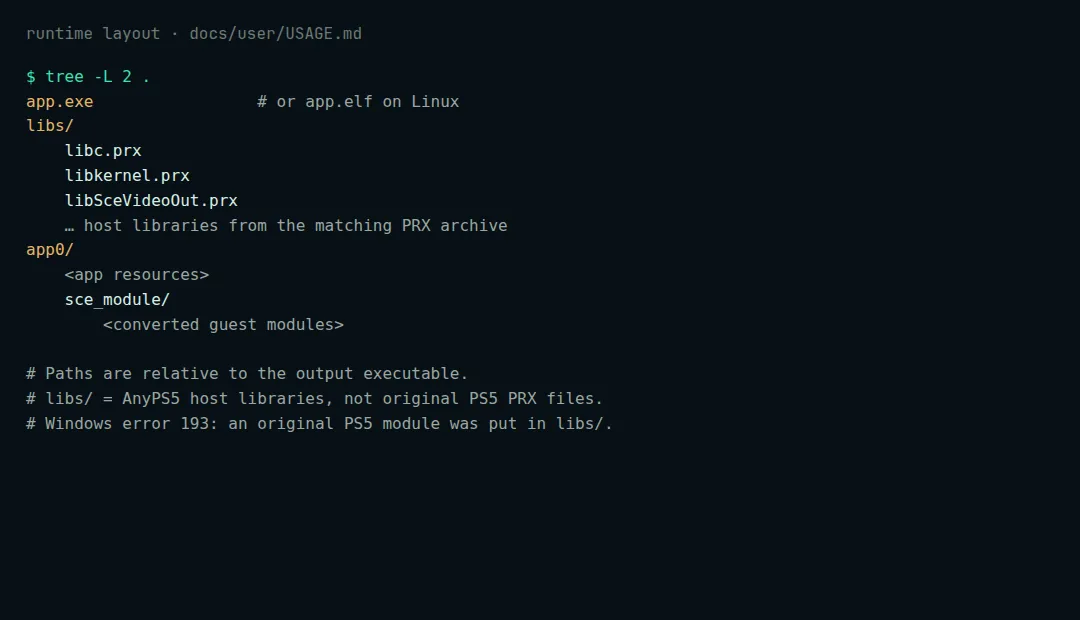
Layout quoted from boykopovar/AnyPS5 docs/user/USAGE.md app.exe libs/ *.prx app0/ <app resources> sce_module/ <converted modules>مكتبات PS5 الأصلية في libs/ غالبًا تفشل بالخطأ 193. الأرشيفات الرسمية تتضمن بالفعل مكتبات MinGW؛ غيابها قد يظهر كالخطأ 126.
شغّل من الطرفية
.\app.exe
تعيين لوحة المفاتيح: INPUT_MAPPING.md