
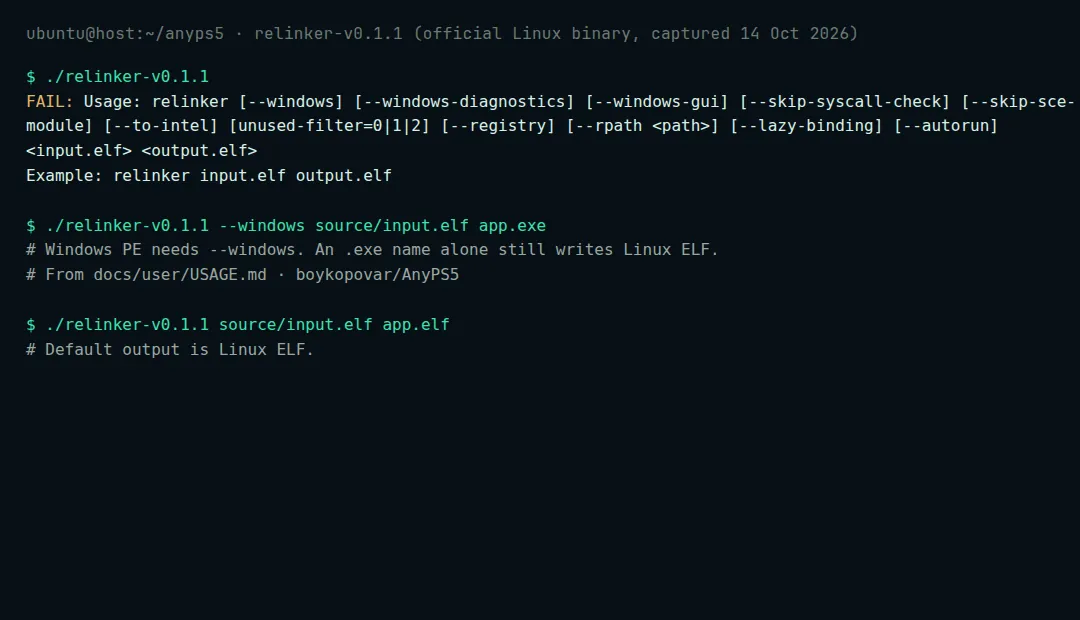
Windows 要加 --windows,只把输出命名成 .exe 不够
两个文件必须来自同一 GitHub 标签。这不是启动器,也不是游戏包。
v0.1.2 · relinker-v0.1.2.exe · prx-windows-v0.1.2.zip
下载同一标签下的一对文件
从 v0.1.2 取
relinker-v0.1.2.exe和prx-windows-v0.1.2.zip。不要混用 Windows / Linux,也不要混用不同标签。准备输入
干净的 ELF 旁边只能有
sce_module/、sce_modules/或prx/之一。SELF/fSELF 会被跳过。source/ input.elf sce_module/ <bundled ELF modules>按宿主转换
默认输出是 Linux ELF。Windows 必须加
--windows——文件名写成.exe不够。PowerShell
.\relinker-v0.1.2.exe --windows source\input.elf app.exe
Intel 主机对支持的 AMD 指令加
--to-intel。退出码2表示转换失败。运行时目录
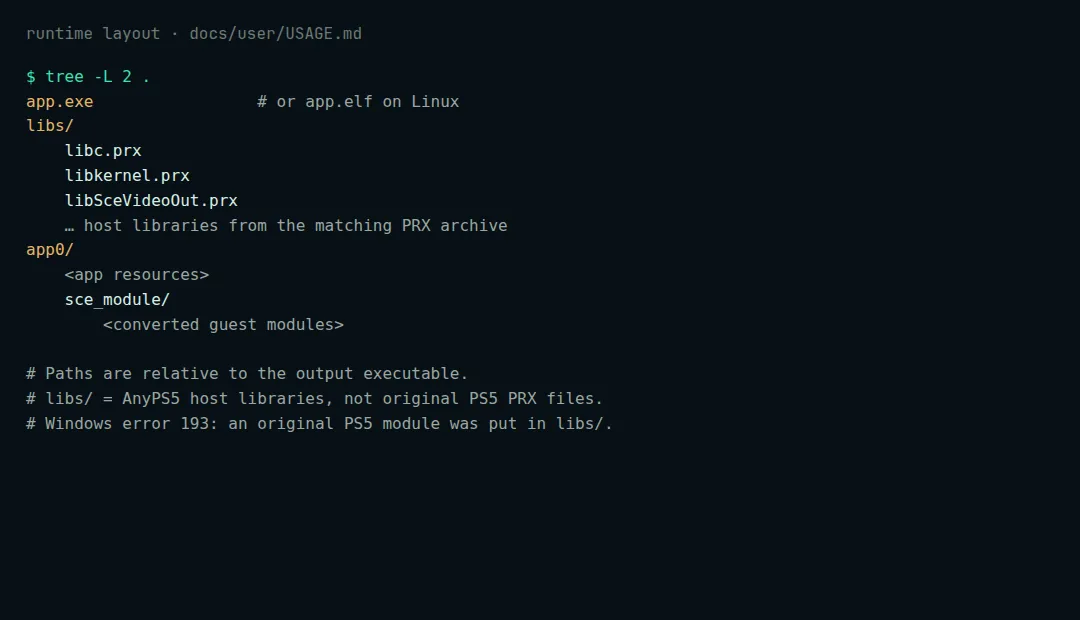
Layout quoted from boykopovar/AnyPS5 docs/user/USAGE.md app.exe libs/ *.prx app0/ <app resources> sce_module/ <converted modules>libs/里放原版 PS5 库常会报错 193。官方压缩包已带 MinGW DLL;缺了会变成 126。从终端启动
.\app.exe
键盘映射见 INPUT_MAPPING.md