
先 relink 干净的 ELF,再放好 app、libs 和 app0
官方文件只在 GitHub Releases。转换不是玩游戏。按系统打开指南,拿走对应的两个文件。
v0.1.2 · 命令来自 USAGE.md
Windows 10 / 11
--windows 生成 PE。
Linux x86-64
默认输出 ELF。
Linux 指南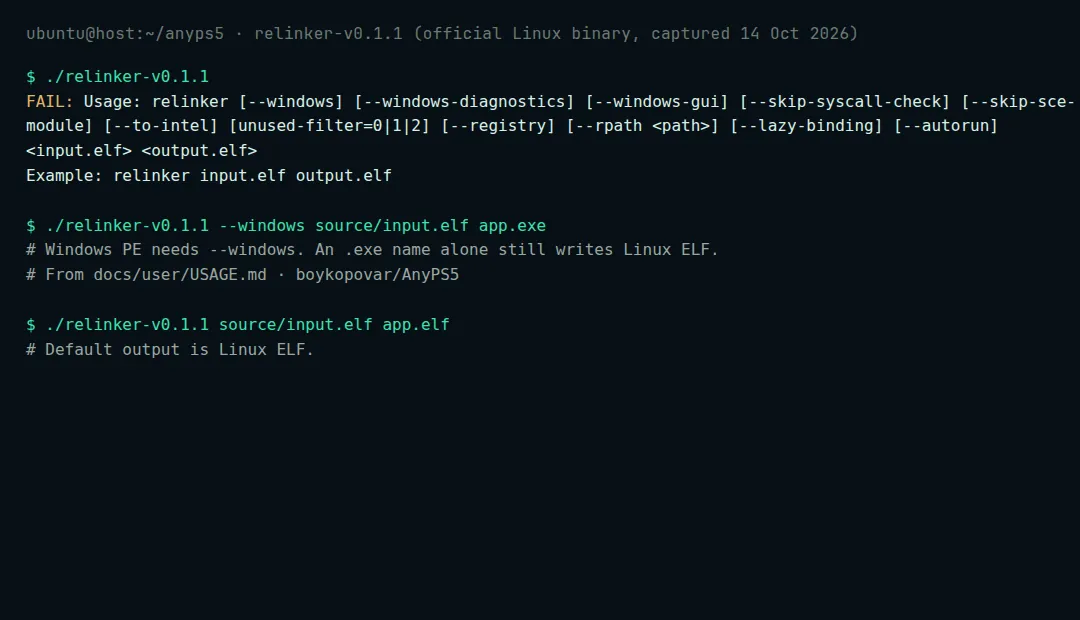
下载一对匹配的文件
从 v0.1.2 取同一系统的 relinker 和宿主库。
准备输入
干净 ELF 旁边只能有
sce_module/、sce_modules/或prx/之一。SELF/fSELF 会被跳过。source/ input.elf sce_module/ <bundled ELF modules>按宿主转换
默认输出是 Linux ELF。Windows 必须加
--windows。Windows PowerShell
.\relinker-v0.1.2.exe --windows source\input.elf app.exe
Linux
chmod +x ./relinker-v0.1.2
./relinker-v0.1.2 source/input.elf app.elf
运行时目录
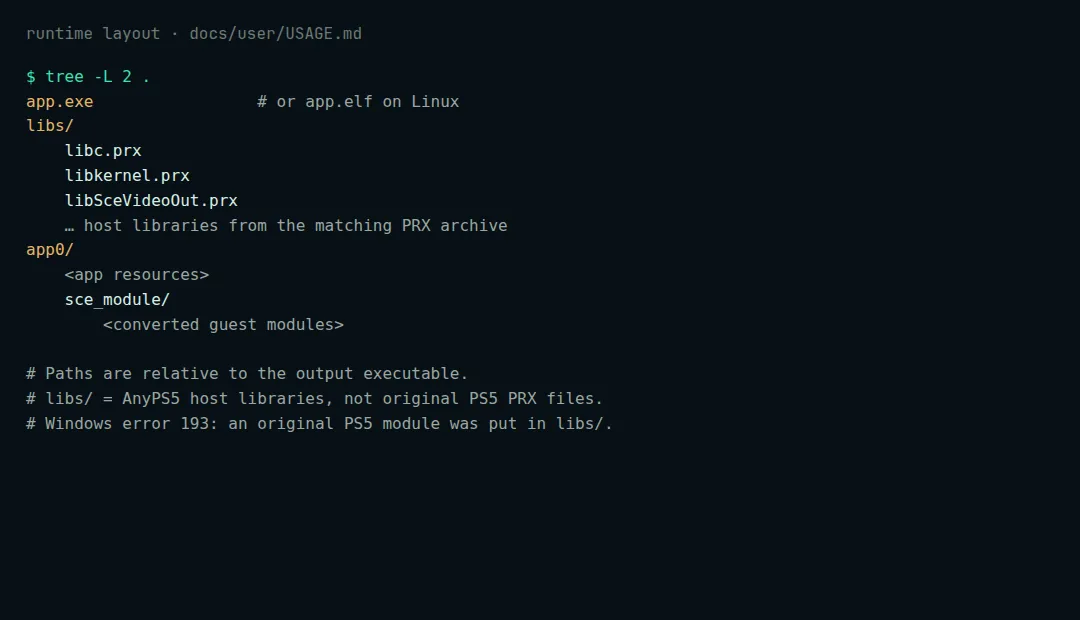
Layout quoted from boykopovar/AnyPS5 docs/user/USAGE.md app.elf or app.exe libs/ *.prx app0/ <app resources> sce_module/ <converted modules>